

- Instant deliveryCode appears in your account and inbox the moment payment clears.
- Guaranteed to workFaulty code? We replace it or refund your wallet. Policy
- Region-lockedRedeem on an account registered in the market shown below.
Battlefleet Gothic: Armada 2 PC Steam Account
Only 5 left
€20.99
€25.99 -19%
Pay from your wallet balance. No card details at checkout.
About this card
Battlefleet Gothic: Armada 2 is the new real-time strategy game adapted from Games Workshop’s famous tabletop game that portrays the epic space battles of the Warhammer 40, 000 universe. Expanding on the groundwork laid out by the first game, Battlefleet Gothic: Armada 2 is a full-blown sequel - bigger, richer, more impressive and more ambitious than the original game. It will include, at launch, all 12 factions from the original tabletop game and its expansions it is based on: the Imperial Navy, Space Marines, Adeptus Mechanicus, Necrons, Chaos, Aeldari Corsairs, Aeldari Craftworld, Drukhari, the T’au Merchant and Protector Fleets, Orks, and finally, the Tyranids.The latest dramatic story development in the Warhammer 40, 000 universe, the Gathering Storm and the 13th Black Crusade, serves as the canvas for three extensive and dynamic campaigns with high narrative values, focusing on the Tyranids, the Necrons, and the Imperium. Explore the systems in the Eye of Terror, with or against renowned characters such as Belisarius Cawl, Gulliman and more.With bigger battles, refined gameplay, improved multiplayer modes and features for a better and more balanced online experience, as well as improvements across the board and even more customisation options for fleets and ships, Battlefleet Gothic: Armada 2promises to be the ultimate Warhammer 40, 000 space battle experience. Features The ultimate Warhammer 40, 000 space naval warfare experience All 12 factions from the original tabletop game Three dynamic solo campaigns (Tyranids, Necrons and Imperium) An ambitious, full-blown sequ...
How to redeem
Go to: http://store.steampowered.com/ and download STEAM client Click "Install Steam" (from the upper right corner) Install and start application, login with your Account name and Password (create one if you don't have). Please follow these instructions to activate a new retail purchase on Steam: Launch Steam and log into your Steam account. Click the Games Menu. Choose Activate a Product on Steam... Follow the onscreen instructions to complete the process. After successful code verification go to the "MY GAMES" tab and start downloading.
 -20%
-20%  -19%
-19% 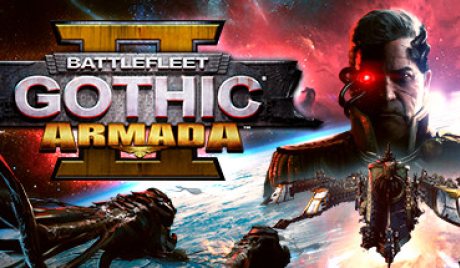 -20%
-20%