
- Instant deliveryCode appears in your account and inbox the moment payment clears.
- Guaranteed to workFaulty code? We replace it or refund your wallet. Policy
- Region-lockedRedeem on an account registered in the market shown below.
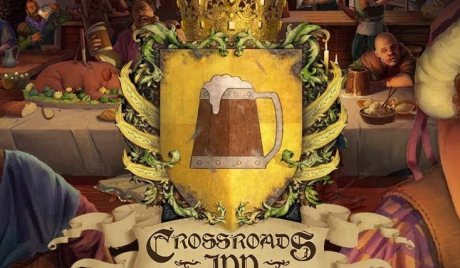
Crossroads Inn AR XBOX One CD Key
Only 1 left
€18.99
€23.99 -21%
Pay from your wallet balance. No card details at checkout.
About this card
Crossroads Inn is a real-time management sim with role-playing games elements. The game consists of two unique modes offering totally different experiences. In Sandbox mode gamers will focus solely on managing their business and economy – to build their very own tavern, hire and oversee staff, manage the supply chains and create new dish recipes. In Campaign mode, micromanagement is just a prelude to a rich story as the kingdom is in turmoil and a shift of power is expected. Your Inn will soon attract the attention of important political and military figures, who are desperately trying to hold on to the reins of power. Gamers will become part of a large-scale drama full of political intrigues, vivid characters, treacherous NPC’s and dangerous quests inspired by RPG games – You will even have a damsel in distress to save! Features Real-time management sim and RPG in one! Two distinct game modes: an epic Campaign mode with a non-linear story (12 different endings!) and nearly endless Sandbox mode dedicated to hardcore sim fans A rich and detailed lore with feuding factions and powerful organizations – choose to forge alliances or work against others in an original low fantasy setting Once in a lifetime culinary adventure designed in cooperation with the experts from Nerds’ Kitchen! Discover recipes, create new dishes and serve varied menus to attract different social groups A complex tavern economy simulation with various groups of customers, special guests, unique and regular employees, dozens of resources and facilities to build and develop Expanded in-game culinary recipes...
How to redeem
Go to: http://store.steampowered.com/ and download STEAM client Click "Install Steam" (from the upper right corner) Install and start application, login with your Account name and Password (create one if you don't have). Please follow these instructions to activate a new retail purchase on Steam: Launch Steam and log into your Steam account. Click the Games Menu. Choose Activate a Product on Steam... Follow the onscreen instructions to complete the process. After successful code verification go to the "MY GAMES" tab and start downloading.