
- Instant deliveryCode appears in your account and inbox the moment payment clears.
- Guaranteed to workFaulty code? We replace it or refund your wallet. Policy
- Region-lockedRedeem on an account registered in the market shown below.
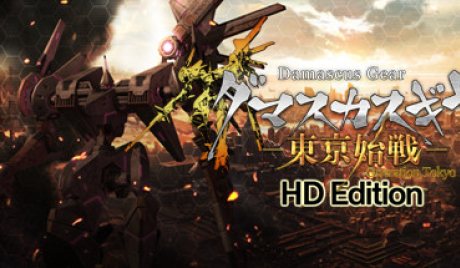
Damascus Gear Operation Tokyo US Nintendo Switch CD Key
Only 1 left
€5.99
€7.99 -25%
Pay from your wallet balance. No card details at checkout.
About this card
The one and only robot customization Hack & Slash!Due to the bioweapons, "Rages" of which we lost control, the surface of the earth as we know it has been taken over. Wield the humanoid robot, "Gears" to take back the city!Gears are enhanced through equipping a variety of over 460 parts.Find the perfect combination that suits your playstyle.The GEAR System was developed sometime in the middle of the 21st century, by the Atsuga Corporation, and allowed pilots unprecedented motor-control and maneuverability with their machines. Mankind developed the system further, to create man-operated mechs and robots, known as GEARs.In the year 2050, the world goes to war, in what would be known as World War IV. Nonetheless, the outcome, no one could have predicted...The GEARs, which were the primary forces in battle became uncontrollable by their operators, and turned against mankind. GEARs that have gone berserk were named RAGEs, and left a mark on human history that can never be forgotten.In 2097, the human population that remained was forced to live underground. And, in order to reclaim what they have lost to the RAGEs, they call upon the GEAR System once more. Features Clear Countless Numbers of Missions!As a new member of the Specialist Organization Freya, you will undertake many missions to reclaim Tokyo from the RAGE.There are over 50 missions, including everything from subjugation to escorts, transportation of materials, rescues, etc. Use Your GEAR to Destroy the RAGE!You will use your own personalized Gear to fight the RAGE, and recapture the surface. You can take various parts...
How to redeem
Select “Nintendo eShop” on the HOME Menu to launch the Nintendo eShop. Select the account you want to use. Select “Enter Code” on the left side of the screen. Enter the 16-character download code.Any letters and symbols not used with prepaid codes (i.e. O, I, Z, commas, hyphens, etc.) will be disabled from the on-screen keyboard. Select “Send” to confirm. The game will begin downloading once the code is confirmed.The game icon will appear on the HOME menu, with a download status bar. The status bar will disappear once the game download is complete.