
- Instant deliveryCode appears in your account and inbox the moment payment clears.
- Guaranteed to workFaulty code? We replace it or refund your wallet. Policy
- Region-lockedRedeem on an account registered in the market shown below.
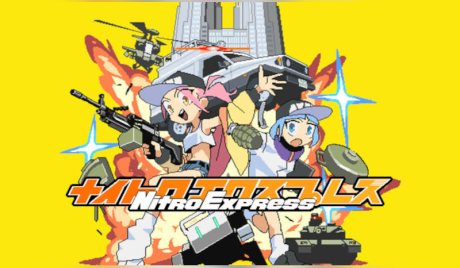
Nitro Express PC Steam Account
Only 5 left
€13.99
€17.99 -22%
Pay from your wallet balance. No card details at checkout.
About this card
Control Settings This game was made in Pixel Game Maker MV and runs at 30 FPS. Game language, screen size, screen shake, and key config settings can be accessed by pressing the F1 key on your keyboard. Other settings can be changed in the OPTIONS menu in-game. Mysterious T.O.K.Y.O. Welcome to Nitro City, Tokyo Special Administrative Region! The metropolis of Tokyo is a bit different from what we know, but the streets are just as nostalgic, or, depending on where you're from, they're just as good as the place you've always wanted to visit. Companions / Atypical Vehicles Autonomous drones, affectionately called "Companions", have been integrated into daily life, but in cop terms, they're referred to as "Atypical Vehicles". When they pose a significant threat to society, it's time for the Atypical Vehicle Disposal Squad (AVDS)—a special unit of the Nitro City police force—to commence their mission to destroy all rogue vehicles! Shoot 'Em Up! Good news: you can bring as much ammo as you want... and that includes grenades! After just a little bit of cooldown, the lightning bolt of destruction will return to your hands. Ah, how wonderful! Just like magic! Gadgets and Gizmos Tired of traditional grenades? Why not try out the EMP, damage-dealing radio-controlled drones, auto-firing turrets, flamethrowers, anti-tank missiles, and more? There's sure to be at least one out of the 12 different cool gadgets that'll catch your eye. Understand Your Guns By assuming a more stable shooting position, your bullets will hit targets more accurately and deal more damage. You can shoot some guns...
How to redeem
Use the credentials you received (directly or via an external website) and log into the account. Make sure that the content on the account is correct (correct edition of the game, no playtime etc) Change the credentials to make the account your own: Change the email Change the password Add 2FA (Steam Guard) Please note that it may not be possible to add the purchased account to an existing Steam Family and to enable Family Sharing. The account should be used as a way of accessing the game/content you are interested in. It is not recommended to use it as your main account, as you might have issues with making purchases on it. Applying any changes to the purchased account, such as adding a payment method or changing the region, may result in the account being banned. In such cases, no refund is applicable.