
- Instant deliveryCode appears in your account and inbox the moment payment clears.
- Guaranteed to workFaulty code? We replace it or refund your wallet. Policy
- Region-lockedRedeem on an account registered in the market shown below.
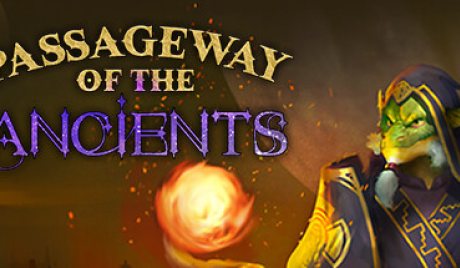
Passageway of the Ancients PC Steam CD Key
Only 2 left
€18.99
€23.99 -21%
Pay from your wallet balance. No card details at checkout.
About this card
About Passageway of the Ancients Inspired by classic CRPGs from the ‘90s and a few from the early 2000s, Passageway of the Ancients will transport you to the world of Aieryon – the galaxy’s sole remaining magical planet – where you’ll explore the city of Ithgar to solve an unspeakable crime. Beset with grief, you’ll be tasked with surviving deadly creatures lurking behind every door while gathering clues, managing your party, and leveling up your character. You also must pick locks and solve Runic puzzles to gather the best loot. Story & Gameplay Combat is tough, complex, and always surprising. Taking inspiration from historical weapons and tactics, Passageway of the Ancients employs a sophisticated combat system. Begin each encounter paused, plan your strategy, then fight in real-time, pausing again at any point (RTwP – Real Time with Pause). How you battle is up to you! Furthermore, you’ll have dual personas to deal with – a hidden “Dragonkindt, ” and a public-facing race of your choosing (Dwarf, Elf, Human) – which must be leveled up at the same time. Here’s the official description of Dragonkindt – taken from Jon Grierson’s unpublished novel, The Children of Xi-Shei: “Dragonkindt are part angelic being, part shapeshifter, and part Dragon. These creatures were thought to be merely the phantasms of some eastern poetic genius, inspired prophet, or demented scholar.” Key Features RTwP – Real Time with Pause: Use both turn-based and real-time elements – drawing on real medieval weapons and tactics. Unleash Your Dragonkindt Nature: Develop your character’s two personas simult...
How to redeem
Go to: http://store.steampowered.com/ and download STEAM client Click "Install Steam" (from the upper right corner) Install and start application, login with your Account name and Password (create one if you don't have). Please follow these instructions to activate a new retail purchase on Steam: Launch Steam and log into your Steam account. Click the Games Menu. Choose Activate a Product on Steam... Follow the onscreen instructions to complete the process. After successful code verification go to the "LIBRARY" tab and start downloading.