
- Instant deliveryCode appears in your account and inbox the moment payment clears.
- Guaranteed to workFaulty code? We replace it or refund your wallet. Policy
- Region-lockedRedeem on an account registered in the market shown below.
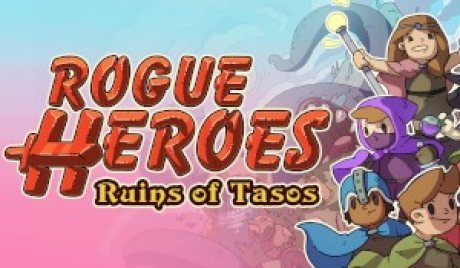
Rogue Heroes: Ruins of Tasos PC Steam Account
Only 5 left
€10.99
€13.99 -21%
Pay from your wallet balance. No card details at checkout.
About this card
A dark evil stirs beneath the once peaceful land of Tasos… Deep within the four Great Dungeons, the ancient seals that hold the Titans at bay are gravely weakened and their minions have unleashed terror upon the world.The Goddesses who forged the seals long ago have made a desperate plea for a band of heroes to come forth and save the people from a terrible fate…Rogue Heroes is a 1-4 player classic adventure game with modern rogue-lite elements. Team up with friends to combat procedural dungeons, explore an expansive overworld full of secrets and take down the Titans to save Tasos! Features 4-Play Rogue-lite Adventure: Play solo or in co-op with up to 4 players to take down the Titans! Remember that death is not the end; rise again, upgrade your hero and venture out once more, stronger than before! Tackle Procedural Dungeons: With its procedural engine, no two runs are the same! Each room has hand designed layouts, traps, puzzles and enemies all with randomised configurations, making every run feel fresh and different. Classic Weapons: Rogue Heroes features classic top-down swordplay with a large range of tools, spells, and weapons to use as you explore Tasos and tackle the Great Dungeons. Locate classic weapons like a Bow, Boomerang and Grappling Hook to use at your disposal. Rebuild your Town for Upgrades: Spend your hard-earned loot on new buildings for your village of Intori. From Weapons Smiths to fisheries, each can add new ways of adding to your abilities and arm you with the tools to return to the fight. Multiple Classes: Each with their own unique abilities, find w...
How to redeem
Go to: http://store.steampowered.com/ and download STEAM client Click "Install Steam" (from the upper right corner) Install and start application, login with your Account name and Password (create one if you don't have). Please follow these instructions to activate a new retail purchase on Steam: Launch Steam and log into your Steam account. Click the Games Menu. Choose Activate a Product on Steam... Follow the onscreen instructions to complete the process. After successful code verification go to the "MY GAMES" tab and start downloading.